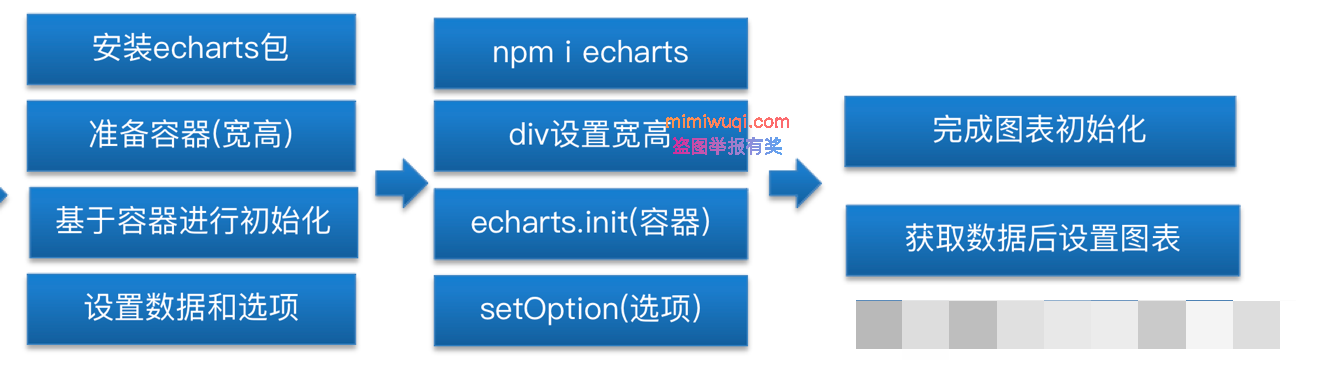
安装echarts包
$ npm i echarts
$ yarn add echarts
放置两个图表的div,并给定高宽
<div class="chart">
   <div ref="social" style=" width: 100%; height:100% " />
div>
 <div class="chart">
   <div ref="provident" style=" width: 100%; height:100% " />
 div>
在mounted中初始化图表
import * as echarts from 'echarts' // 引入所有的echarts

mounted() {
    // 获取展示的数据 设置给图表
    // 监听Data的变化
    this.social = echarts.init(this.$refs.social) // 初始化echart
    // data中没有声明 不是响应式
    this.provident = echarts.init(this.$refs.provident)
  },
watch: {
    homeData() {
      console.log(this.homeData)
      // 设置图表
      this.social.setOption({
        xAxis: {
          type: 'category',
          boundaryGap: false,
          data: this.homeData.socialInsurance?.xAxis
        },
        yAxis: {
          type: 'value'
        },
        series: [
          {
            data: this.homeData.socialInsurance?.yAxis,
            type: 'line',
            areaStyle: {
              color: '#04c9be' // 填充颜色
            },
            lineStyle: {
              color: '#04c9be' // 线的颜色
            }
          }
        ]
      })
      this.provident.setOption({
        xAxis: {
          type: 'category',
          boundaryGap: false,
          data: this.homeData.providentFund?.xAxis
        },
        yAxis: {
          type: 'value'
        },
        series: [
          {
            data: this.homeData.providentFund?.yAxis,
            type: 'line',
            areaStyle: {
              color: '#04c9be' // 填充颜色
            },
            lineStyle: {
              color: '#04c9be' // 线的颜色
            }
          }
        ]
      })
    }
  },
这里为什么要用watch,因为获取数据在created,初始化图表在mounted,执行mouted时,数据并不能保证能够获取到,所以采用获取watch监听数据变化,只要数据变化,就设置图表的options
为什么 this.social和this.provident 并没有在data中声明,注意,在data中声明的表示它是响应式数据,即它的变化要引起template模板的刷新,但是这里我们只是记录一下当前图表的实例,实例本身会有setOption来影响图表的动态渲染,所以这里并没有必要在data中声明这两个变量
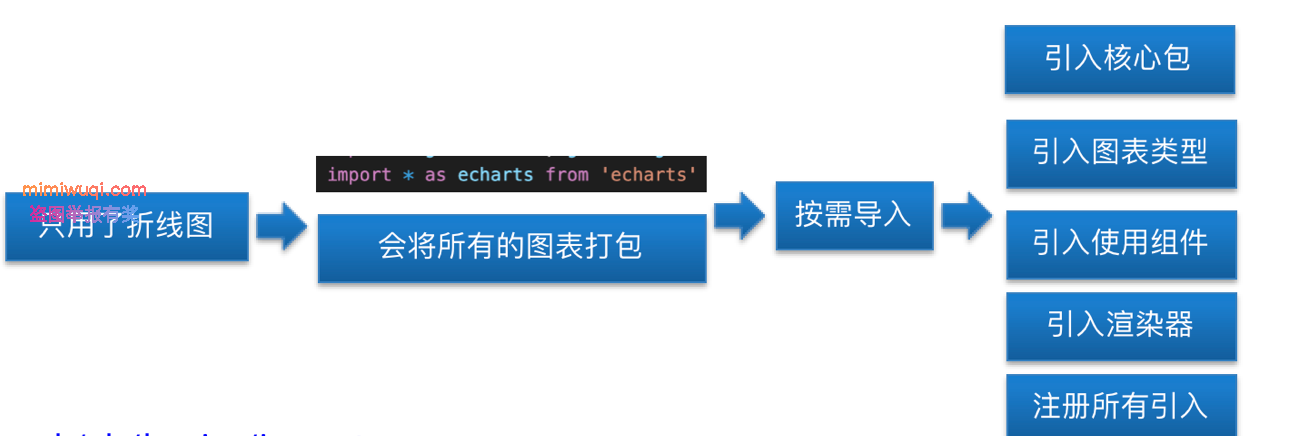
echarts图表的按需导入
使用文档:
https://echarts.apache.org/handbook/zh/basics/import
import * as echarts from 'echarts/core' // 引入核心包
import { LineChart } from 'echarts/charts' // 引入折线图
import { GridComponent } from 'echarts/components' // 引入组件
import { CanvasRenderer } from 'echarts/renderers'
echarts.use([
  LineChart,
  GridComponent,
  CanvasRenderer
])