
通过上节课的知识,我们用同样的方法和流程,再开发一遍 toDoList 里边的列表功能,具体来说就是当点击添加按钮时,ToDoList 组件的列表会增加。知识其实我们都已经会了,缺少的是熟练度。
编写按钮添加响应事件和 Action
先来编写按钮点击后的响应事件,打开TodoList.js文件,然后在按钮的地方加入onClick事件,记得要进行绑定哦。
<Button
    type="primary"
    onClick={this.clickBtn}
>增加</Button>
然后在constructor里进行绑定,代码如下:
constructor(props){
    super(props)
    this.state=store.getState();
    this.changeInputValue= this.changeInputValue.bind(this)
    this.storeChange = this.storeChange.bind(this)
    //关键代码------------start----------
    this.clickBtn = this.clickBtn.bind(this)
    //关键代码------------end----------
    store.subscribe(this.storeChange) //订阅 Redux 的状态
}
绑定之后就可以编写clickBtn()方法了,这里先用一个打印语句代替业务内容。
clickBtn(){
    console.log('mybj123.com')
}
这时候预览一下,点击”增加按钮”,在控制台就可以输出mybj123.com了。说明我们的事件添加成功了。
创建 Action 并用 dispatch()传递给 store
在clickBtn方法里增加 Action,然后用dispatch()方法传递给 store,代码如下:
clickBtn(){
   const action = { type:'addItem'}
   store.dispatch(action)
}
这时候已经把 action 传递给了store,然后去Reducer里编写业务逻辑就可以了。
编写 Reducer 的业务逻辑
打开reducer.js文件,先编写代码判断type是不是addItem,如果向 redux 的 list 中插入新值。
export default (state = defaultState,action)=>{
    if(action.type === 'changeInput'){
        let newState = JSON.parse(JSON.stringify(state)) //深度拷贝 state
        newState.inputValue = action.value
        return newState
    }
    //关键代码------------------start----------
    //state 值只能传递,不能使用
    if(action.type === 'addItem' ){ //根据 type 值,编写业务逻辑
        let newState = JSON.parse(JSON.stringify(state))
        newState.list.push(newState.inputValue)  //push 新的内容到列表中去
        newState.inputValue = ''
        return newState
    }
     //关键代码------------------end----------
    return state
}
因为上节课已经编写了订阅方法,所以到这里就可以打开浏览器进行预览了。你可以试着添加一些新的东西进来。
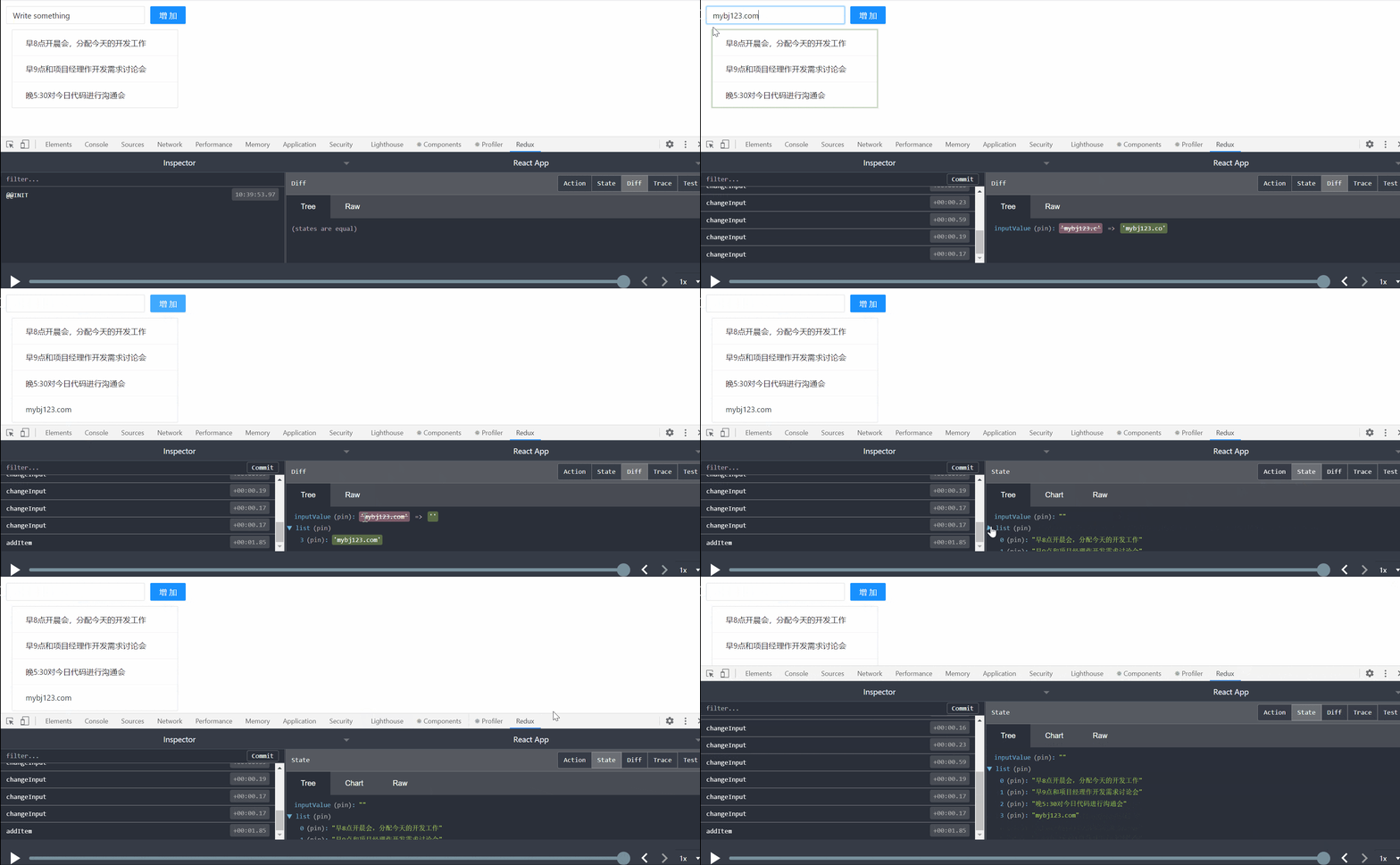
这节课到这里就结束了,虽然没有什么新的知识点,但是这个Redux的流程你必须要熟练掌握,因为在工作中编写 Redux 程序,我几乎每天都在和这个流程打交道,实现界面的快速响应。